
0 item(s)
YOUR CART
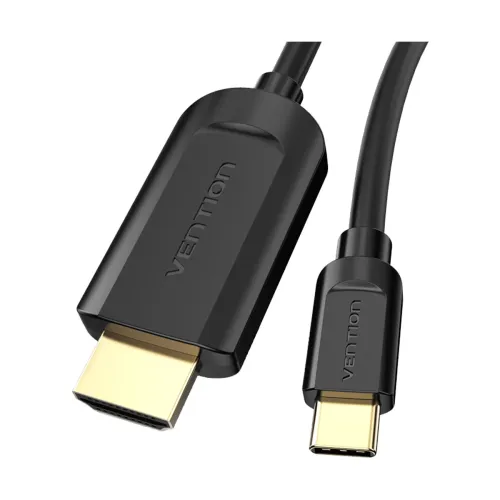


| Basic Information | ||
| Interface / Port | Type-C Male to HDMI Male | |
| Plug | Type-C Male / HDMI Male | |
| Cable | 2 Meter USB Type-C to HDMI Cable | |
| Other Features | 4K (3840 x 2160) Video, Black | |
| Warranty Information | ||
| Warranty | 1 year | |
The Vention CGUBH USB Type-C Male to HDMI Male cable is designed to deliver high-quality video connections between a USB-C source device and an HDMI display. With a 2 meter length, it offers practical reach for home entertainment setups, office presentations, and everyday screen mirroring—helping you connect your laptop, tablet, or other USB-C enabled device to a TV, monitor, or projector without unnecessary cable strain.
Video Type: This is a dedicated video cable solution for transferring display signals from a Type-C output to an HDMI input.
Ports: Port Side-1 features a Type-C Male connector, while Port Side-2 features an HDMI Male connector—making it suitable for direct, plug-and-play style connections.
Resolution Support: The cable supports up to 3840 x 2160 (4K), which is ideal for sharper visuals, clearer text, and more detailed media playback compared to lower-resolution connections.
Length: At 2 meters, it balances flexibility and neat routing for typical desk-to-TV or desk-to-monitor distances.
Color: Available in Black, it blends easily with most modern setups and keeps the look tidy.
If you want a reliable way to connect a USB-C device to an HDMI display, this Vention cable is a straightforward choice. Compared to using shorter cables, the 2 meter length helps reduce awkward positioning and makes it easier to place your laptop comfortably while still reaching the screen. Compared to lower-resolution video links, the 4K capability supports more immersive viewing for movies, presentations, and high-detail content—especially when your display is capable of 4K input.
This USB-C to HDMI cable is well-suited for home theater streaming, connecting a laptop to a monitor for work, and using a projector for meetings or training sessions. It’s also a practical accessory for users who frequently switch between screens and want a consistent connection method for video output.
To get the most out of the 4K (3840 x 2160) video output, ensure your USB-C source device supports video output over Type-C and that your HDMI display supports the resolution you intend to use. For a clean setup, route the cable along the back of your desk or behind furniture to minimize tangling and keep the connection stable during daily use.
Get specific details about this product from customers who own it.
