0 item(s)
YOUR CART
| Basic Information | ||
| Type | SSD Expansion Card | |
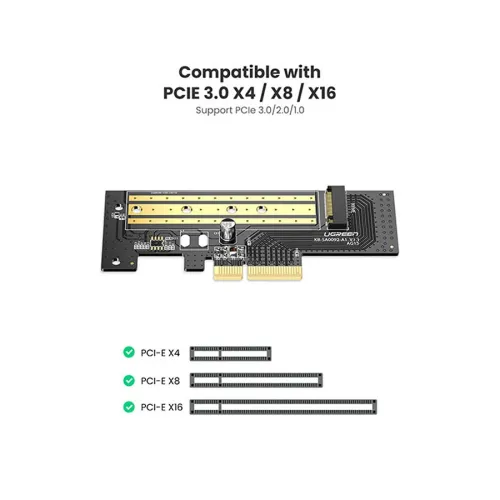
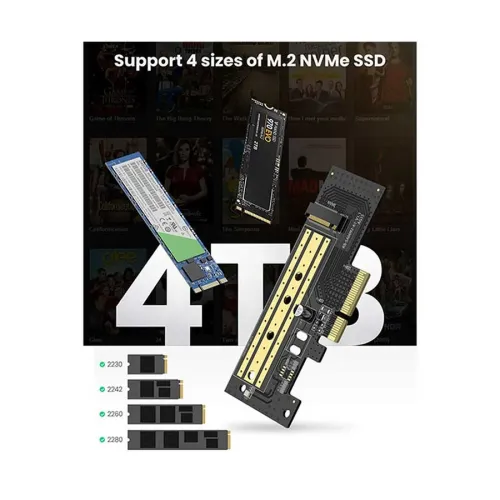
| Others | Data Transmission: 32Gbps (NVME), 6Gbps (NGFF), Supports PCIe 1.0 ,PCIe 2.0 and PCIe 3.0 motherboard. Supports M.2 PCIE NVME/AHCI SSD (Key-M), Compliant with PCIE GEN3. PCIE 3.0 X4 full speed support. | |
| Manufacturing Warranty | 1 year | |
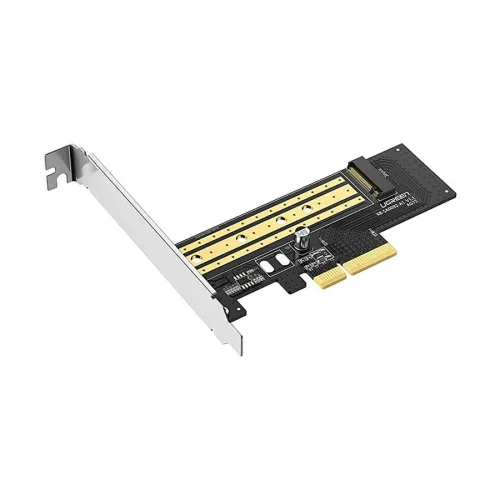
The UGREEN CM302 (70503) expansion card is designed to help you add an M.2 NVMe SSD to a desktop system by converting it into a PCIe Gen3 x4 connection. If you want faster storage performance than traditional SATA drives, this card provides a practical path to leverage NVMe speed while using a standard PCIe slot. It’s a smart choice for users building a new PC, upgrading an existing workstation, or expanding storage capacity for demanding tasks like large file transfers, software installations, and everyday multitasking.
M.2 NVMe to PCIe Gen3 x4 means the card acts as an interface bridge between your M.2 NVMe SSD and the PCIe slot on your motherboard. The included support for up to 32Gbps transfer rate helps deliver strong throughput for compatible NVMe drives, making it well-suited for users who frequently move data, work with media files, or run storage-intensive applications. Compared to older storage interfaces, NVMe-based setups typically feel more responsive during loading and transfers, especially when paired with a capable desktop platform.
This expansion card is made to fit into standard PCIe slots, offering versatile compatibility across many desktop PCs that have available PCIe expansion space. It also includes a heat sink, which supports more stable operation by helping manage SSD temperatures during sustained workloads. For buyers, this is an important consideration because thermal stability can influence performance consistency over longer sessions—such as gaming, video editing, or continuous backups.
With its straightforward design, the UGREEN CM302 is intended for hassle-free installation. To get the best results, ensure the card is seated properly in the PCIe slot and that the M.2 NVMe SSD is installed securely. After installation, it’s recommended to keep your computer interior clean to support cooling efficiency and to periodically monitor temperatures to avoid overheating. Keeping system drivers up to date can also help maintain optimal performance and compatibility with your storage configuration.
Choose the UGREEN CM302 if your desktop lacks an M.2 NVMe slot but you still want NVMe performance through PCIe. It’s also useful for users who want a clean, expandable storage approach without replacing the entire system. If you’re planning a storage upgrade in Bangladesh and looking for an M.2 NVMe to PCIe Gen3 x4 solution, this card is a practical component for enhancing speed and reliability—especially when paired with a compatible NVMe SSD.
Get specific details about this product from customers who own it.