
0 item(s)
YOUR CART
| Basic Information | ||
| Connection Type | Wireless | |
| Interface | Bluetooth & USB Dongle | |
| Maximum DPI | 18000 DPI | |
| Number of Buttons | 6 | |
| Technical Specification | ||
| Switch Lifecycle | 60 million clicks | |
| Tracking Method | Optical | |
| Click Sound | Yes | |
| Compatibility | Windows Supported PC & Laptop | |
| Physical Specification | ||
| Color | Black | |
| Dimensions | 60 x 38 x 108 mm | |
| Weight | 60 gm | |
| Warranty Information | ||
| Warranty | 1 Year (Need to submit product box for warranty claim) | |
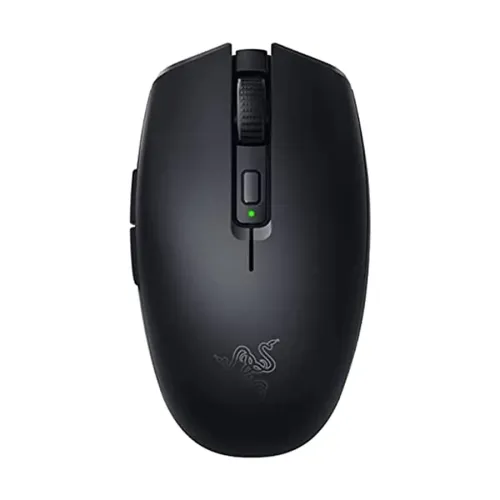
The Razer Orochi V2 is a compact, right-handed symmetrical wireless gaming mouse designed for players who want responsive control with a clean, minimal look. With dual-mode wireless connectivity via Bluetooth and a USB dongle, it supports flexible setups for Windows PCs and laptops—whether you’re gaming at home, using a work laptop, or switching between devices. Its optical tracking and high maximum sensitivity make it suitable for fast aiming and precise cursor movements across a variety of tasks.
This wireless gaming mouse supports two connection options: 2.4GHz using the included USB dongle and Bluetooth (BLE). The dual-mode design helps you choose the most convenient pairing method depending on your device ports and latency needs. For gaming sessions where you want a stable low-latency connection, the 2.4GHz mode is ideal. When you need a simpler connection for compatible devices, Bluetooth provides an alternative without relying on the dongle.
With a maximum sensitivity of 18000 DPI, the Razer Orochi V2 is built to handle both quick flicks and fine adjustments. Higher DPI can be helpful for fast-paced games where you need rapid target acquisition, while still allowing controlled movement for aiming and tracking. If you switch between different game genres or play styles, the high DPI ceiling gives you room to tune your in-game sensitivity for comfortable performance.
The mouse uses optical tracking for accurate movement detection. It also includes a wheel for scrolling control, making it practical not only for gaming but also for everyday navigation such as browsing, document scrolling, and spreadsheet work. The combination of optical tracking and a responsive wireless link helps maintain consistent cursor behavior during long sessions.
Equipped with 6 buttons and a wheel scrolling control, the Orochi V2 supports straightforward gameplay and everyday productivity shortcuts. It uses 2nd-gen Razer mechanical mouse switches with a rated switch lifecycle of 60 million clicks, which is designed for durability over time. The click sound is enabled (click sound: yes), which some users prefer for tactile feedback during repeated actions.
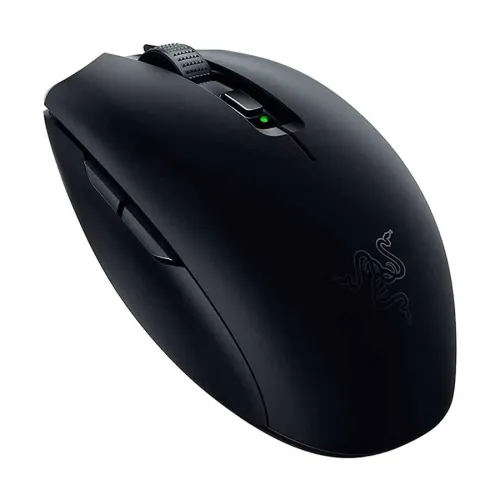
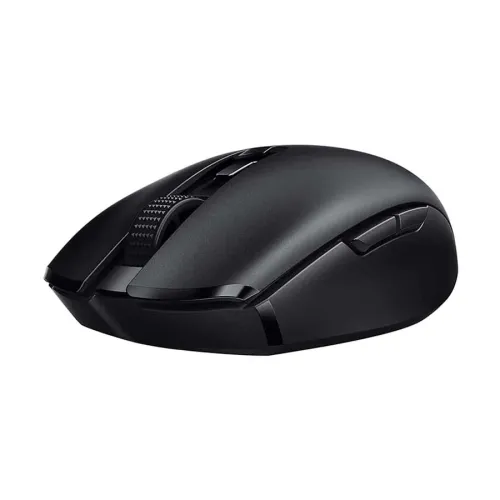
The Orochi V2 is categorized as a regular small size, making it a strong choice for users who prefer a lighter, more compact mouse. Its symmetrical right-handed form factor is designed to support comfortable handling across most grip styles. The design emphasizes stronger index and middle finger grip, closer palm contact, and a stronger thumb grip, along with optimized side button placement—helpful for consistent control during intense gameplay and for reducing hand repositioning during daily use.
Power is provided by a non-rechargeable AA battery. Battery life is rated up to 425 hours on 2.4GHz mode and up to 950 hours on Bluetooth (BLE). This makes the mouse convenient for extended use without frequent battery changes, especially if you alternate between gaming and lighter tasks. Since it’s AA-based, replacing the battery is straightforward when needed.
Brand/Series: Razer, Gaming series
Type: Gaming Mouse
Connection: Wireless (Bluetooth & USB Dongle)
Tracking: Optical
Max DPI: 18000 DPI
Buttons: 6
Scrolling: Wheel (Yes)
Lighting: No
Color: Black
Dimensions (W x H x D): 60 x 38 x 108 mm
Weight: 60 gm
Compatibility: Windows supported PC & laptop (OS support: Windows)
Battery: Non-rechargeable AA
Warranty: 1 Year (product box submission required for warranty claim)
If you’re looking for a wireless gaming mouse with dual-mode connectivity and a compact, right-handed symmetrical shape, the Razer Orochi V2 is a practical option for both gaming and daily computer use. Since it has no lighting, it suits setups where you prefer a clean aesthetic and potentially less distraction. For best results, ensure your Windows PC or laptop supports the connection method you plan to use (Bluetooth or USB dongle) and choose the mode that matches your latency and convenience preferences.
Get specific details about this product from customers who own it.
