
0 item(s)
YOUR CART

| Basic Information | ||
| Connection Type | Wireless | |
| Keys | 8 | |
| Interface | Bluetooth & USB Dongle | |
| Maximum DPI | 200-8000 DPI | |
| Scrolling Capability | MagSpeed scrolling (ratchet + free-spin) | |
| Number of Buttons | 8 | |
| Other Features | Haptic Sense Panel & Action Ring Shortcuts | |
| Technical Specification | ||
| Tracking Method | Optical | |
| Sensor | 8K DPI Darkfield sensor | |
| Click Sound | Yes | |
| Lighting | No | |
| Compatibility | Windows, macOS, Linux, ChromeOS, iPadOS, Android | |
| Physical Specification | ||
| Color | Graphite | |
| Dimensions | Height: 128.15 mm Width: 88.35 mm Depth: 50.8 mm | |
| Weight | 150 g | |
| Warranty Information | ||
| Warranty | 01-Year | |
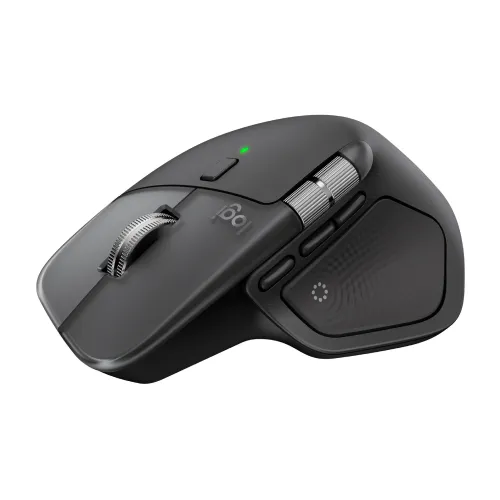
The Logitech MX Master 4 is a premium ergonomic optical mouse built for professionals who need smooth, accurate control and reliable wireless performance throughout the day. Designed in Graphite color and featuring an ergonomic shape, it helps support a natural hand and wrist position—ideal for long office sessions, creative workflows, and multitasking across multiple applications. With a high-performance sensor and flexible DPI adjustment, this mouse is well-suited for both detailed work (like editing and design) and fast navigation (like spreadsheets and browsing).
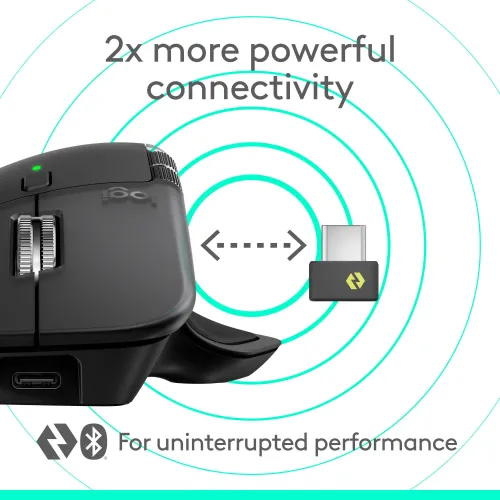
This MX Master 4 supports wireless connection through Bluetooth and a USB dongle (Logi Bolt receiver). That means you can pair it to different setups depending on your device ports and preferences—whether you’re using a laptop, desktop, or a workstation. The dual-mode approach is especially helpful for users who frequently move between devices, such as office-to-home setups or desk-to-meeting room transitions, because it reduces the hassle of reconfiguring peripherals.
With a resolution range of 200–8000 DPI adjustable in 50 DPI increments, the MX Master 4 gives you fine-grained control over cursor speed. Lower DPI settings are great for precision tasks such as photo retouching or detailed layout work, while higher DPI settings help you cover large screen distances quickly—useful for large spreadsheets, timelines, and multi-monitor navigation. Compared to basic mice with limited DPI steps, this wider range and incremental tuning make it easier to match your workflow and screen size.
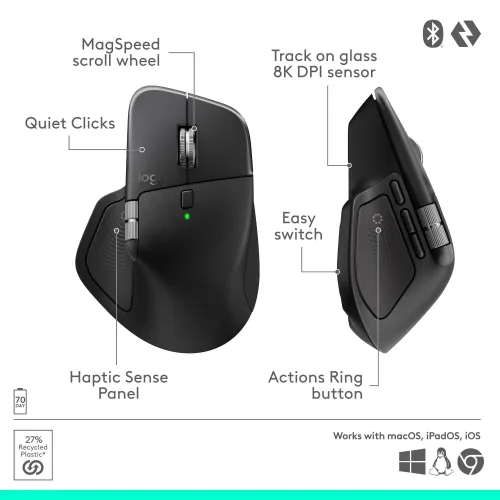
The mouse features MagSpeed scrolling, designed to deliver rapid and accurate movement. It supports switching between precise ratchet mode and ultra-fast free-spin mode, enabling scrolling up to 1,000 lines per second. This is a practical advantage for heavy document work, coding, and long web pages—where you want both controlled line-by-line movement and quick jumps without changing devices or using the keyboard constantly.
Equipped with an 8-button layout, the MX Master 4 is designed to keep frequently used commands close at hand. The Action Ring provides customizable shortcut access, helping you reduce unnecessary cursor travel and menu navigation. For productivity-focused users, this can translate into faster task execution—especially when switching between tools, managing workflows, or performing repetitive actions during daily work.
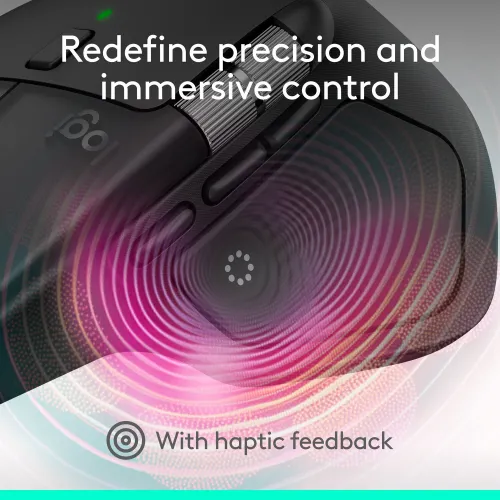
A standout feature is the Haptic Sense Panel, which provides configurable haptic feedback for specific actions, shortcuts, and notifications. Instead of relying only on visual cues, the tactile response helps you confirm actions while staying focused on your work. Through Logi Options+ software, you can personalize feedback intensity and tailor the experience to your preferences, which is particularly beneficial for users who want a more controlled and responsive workflow.
The MX Master 4 includes an 8K DPI Darkfield sensor that can track flawlessly on virtually any surface, including glass. This makes it convenient if you work in environments where you may not always have a dedicated mouse pad. For professionals using large screens or working across different desks, reliable tracking reduces friction and improves consistency—so your cursor movement stays predictable from one workspace to another.
The mouse includes click sound, and it has no lighting. If you prefer a clean, distraction-free setup, the lack of lighting can be a plus for focused work environments. Combined with its ergonomic design and optimally placed controls, the MX Master 4 is built to feel comfortable during extended use—making it a strong choice for office productivity, content creation, and general professional computing.
With extended battery life of up to 70 days on a full charge, the MX Master 4 helps you avoid frequent charging interruptions. It also supports USB Type-C fast charging, where one minute of charging can provide up to three hours of use—useful when you’re in a rush and need quick top-up power before heading out. This makes it practical for busy professionals who want dependable performance without constant maintenance.
Logi Options+ enables deep customization of the MX Master 4, including button functions, tracking speed, gesture controls, and app-specific profiles. It also supports Flow technology for copying and pasting content between devices and operating systems, which is helpful for multi-device users who regularly switch between laptop and desktop. With Smart Actions and third-party plugin support, you can further tailor the mouse to your exact workflow—making it more than just a pointing device.
The MX Master 4 supports Windows, macOS, Linux, ChromeOS, iPadOS, and Android, ensuring broad compatibility right out of the box. This is especially valuable for users who work in mixed ecosystems—such as teams using different operating systems or individuals who switch between personal and work devices. Whether you’re using it for office tasks, creative projects, or everyday browsing, the cross-platform support helps keep your setup consistent.
For Bangladesh buyers, the Logitech MX Master 4 Wireless Mouse is available starting from 14,500 (price may vary based on customization and product availability). If you’re purchasing for office, corporate, or institutional use, it’s recommended to confirm warranty coverage and after-sales support with the seller to ensure smooth troubleshooting and configuration assistance when needed.
Get specific details about this product from customers who own it.
