
0 item(s)
YOUR CART
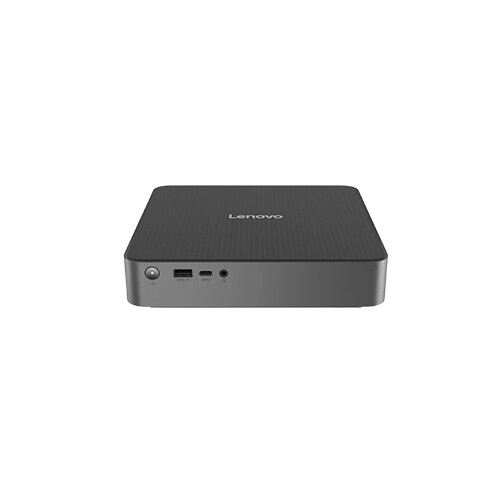


| Basic Information | ||
| Processor | Intel Core 5 210H (up to 4.8GHz) | |
| RAM | 8GB DDR5 | |
| Storage | 512GB M.2 2280 PCIe SSD | |
| Graphics | Intel UHD Graphics (shared graphics memory) | |
| Operating System | FreeDOS | |
| Others | Mini Intel Core 5 210H Brand PC | |
| Connectivity | ||
| WiFi | Wi‑Fi 6E (802.11ax) 2x2 | |
| Bluetooth | Bluetooth 5.3 | |
| Physical Specification | ||
| Dimension | 191 x 195 x 42.7mm (7.52 x 7.677 x 1.68 inches) | |
| Weight | Around 1.8 kg (3.97 lbs) | |
| Warranty | ||
| Warranty | 3 Years | |
The Lenovo IdeaCentre 01IRH10R Mini PC is a compact desktop built for everyday productivity, smooth multitasking, and reliable performance in a space-saving design. At the heart of this mini PC is the Intel Core 5 210H processor with a turbo frequency of up to 4.80GHz, helping deliver responsive computing for office work, online learning, web browsing, and content consumption. If you want a dependable system that fits neatly into a home office, business workstation, reception desk, or study environment, this mini desktop is designed to deliver strong value without taking up much room.
With 8GB DDR5 RAM, the system is well-suited for handling multiple applications at once—such as spreadsheets, document editing, browser tabs, and video playback—so you can stay productive throughout the day. Compared to lower-memory configurations, 8GB DDR5 supports a more comfortable day-to-day experience, especially when you frequently switch between tasks or keep several browser windows open.
Storage is handled by a 512GB M.2 2280 PCIe SSD, which supports fast boot times and quicker file access for a smoother overall workflow. This capacity is practical for storing essential documents, software, and multimedia content, while the SSD performance helps reduce waiting time during launches and transfers. For users who want a mini PC that feels quick from the moment you power it on, the 512GB PCIe SSD is a strong everyday choice.
For graphics, the Lenovo IdeaCentre 01IRH10R uses Intel UHD Graphics with shared graphics memory. This configuration is ideal for productivity applications, web-based work, and media playback. While it’s not positioned for heavy 3D rendering or high-end gaming, it’s a sensible match for typical office and study needs—where stability, efficiency, and everyday responsiveness matter most.
Connectivity is a key strength of this mini desktop. It includes Wi‑Fi 6E (802.11ax) with 2x2 support plus Bluetooth 5.3, enabling faster wireless performance and improved efficiency in compatible environments. This makes it convenient for video calls, online classes, and streaming, while Bluetooth support helps you connect wireless peripherals such as keyboards, mice, and audio devices for a cleaner desk setup.
The system comes with FreeDOS, giving you the flexibility to install your preferred operating system based on your workflow. This is especially useful for users who already have an OS installation plan or who want control over the software setup for office, education, or personal use.
This Lenovo mini PC is designed for buyers who want a reliable desktop experience in a compact form factor. Its combination of an Intel Core 5 210H processor (up to 4.80GHz turbo), 8GB DDR5 RAM, and a 512GB PCIe SSD supports smooth daily performance for common tasks. The energy-efficient mini design also helps keep your workspace tidy and organized, making it a practical option for both home and business users who need dependable computing without clutter.
Students and online learners: fast storage and responsive performance for assignments and learning platforms. Office users: multitasking support for documents, spreadsheets, and web-based work. Home office setups: a compact desktop that fits easily on desks and workstations while delivering everyday speed.
If your goal is a mini desktop for productivity, browsing, and media use, the Lenovo IdeaCentre 01IRH10R is a well-balanced configuration. For best results, pair it with a reliable monitor and your preferred keyboard/mouse setup, and consider installing the operating system that matches your work needs since the system is provided with FreeDOS.
Get specific details about this product from customers who own it.
