
0 item(s)
YOUR CART
| Display | ||
| Panel | VA | |
| Screen Size | 49 inch | |
| Display Type | DQHD Display | |
| Resolution | 5120x1440 | |
| Aspect Ratio | 32:9 | |
| Viewing Angle | 178 degree | |
| Brightness | 400 nits | |
| Contrast Ratio | 4000:1 | |
| Refresh Rate | 165Hz | |
| Color Support | 99% sRGB, 8-bit | |
| Color Gamut | 99% sRGB | |
| Response Time | 5ms (GTG with Overdrive) | |
| Curvature | Curved 1800R | |
| Others Features | Smart KVM (picture-by-picture / picture-in-picture), dual microphones with DNN noise cancellation, HP Display Center, HP Client Management Script Library | |
| Audio/Video Features | ||
| Speakers | 2 x 3 W (Woofer); 2 x 5 W (Tweeter) | |
| Audio Output | Built-in speakers | |
| Low Blue Light | HP Eye Ease (TUV Low Blue Light Hardware Solution certified) | |
| Flicker Free | Yes | |
| Others | Dual microphones with DNN noise cancellation; Smart KVM switching between two computers (picture-by-picture / picture-in-picture) | |
| Connectivity | ||
| HDMI | 1 | |
| Display Port | 1 | |
| USB Type C | 3 | |
| USB Ports | 3 x USB Type-A, 3 x USB Type-C | |
| Audio Jack | Yes 1 x 3.5 mm Audio Jack (Audio In/Out Combo) | |
| Physical Specification | ||
| Vesa Mount | 100 x 100 mm | |
| Tilt / Swivel / Pivot | Tilt: -5 to +20°, Swivel: +/-30° | |
| Height Adjustability | 150 mm | |
| Color | Black | |
| Dimension | 1193.5 x 309.1 x 587.3 mm (with stand); 1193.5 x 309.1 x 371 mm (without stand) | |
| Weight | 13.74 kg (without stand); 17.18 kg (with stand) | |
| Power | ||
| Power Consumption | 375 W (maximum); 65 W (typical) | |
| Voltage | 100 - 240 VAC 50/60 Hz | |
| Others | Operating temperature: 5 to 35 degree C | |
| Warranty Information | ||
| Warranty | 3 Year (Box Mandatory While Claiming) | |
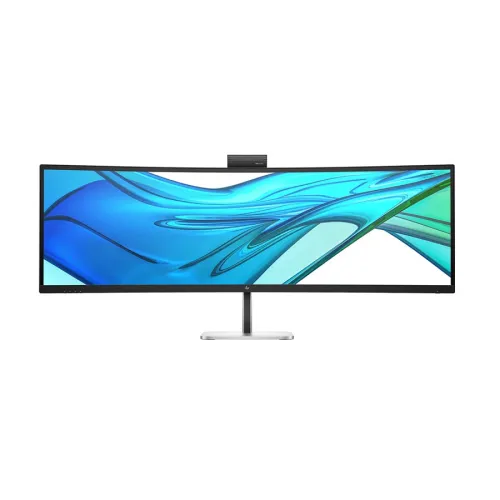
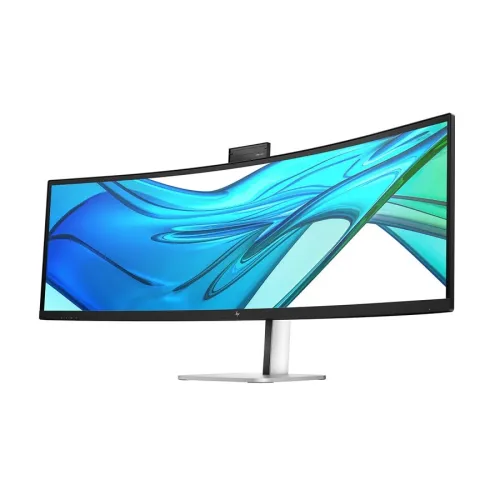
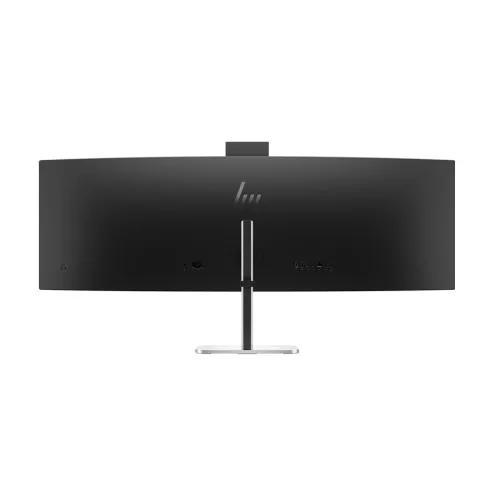
The HP Series 5 Pro 549pm is a 49-inch curved professional monitor designed for immersive multitasking and comfortable long-hour work. With a 32:9 ultra-wide aspect ratio and a high 5120x1440 (5K DQHD) resolution, it delivers a wide workspace that helps you view more content side-by-side—ideal for office productivity, data work, and professional workflows where screen real estate matters. The VA panel with an anti-glare surface supports a practical balance of contrast and viewing comfort, making it a strong choice for corporate setups and institutional environments.
This monitor features a 5120x1440 resolution and 165Hz refresh rate, enabling smoother motion and more responsive on-screen navigation compared to standard office displays. The 5ms (GTG with Overdrive) response time further supports fast transitions, which is useful when switching between applications, spreadsheets, and presentations. For professionals who frequently move between windows, the combination of high resolution and high refresh rate helps reduce perceived lag and improves overall usability during day-to-day tasks.
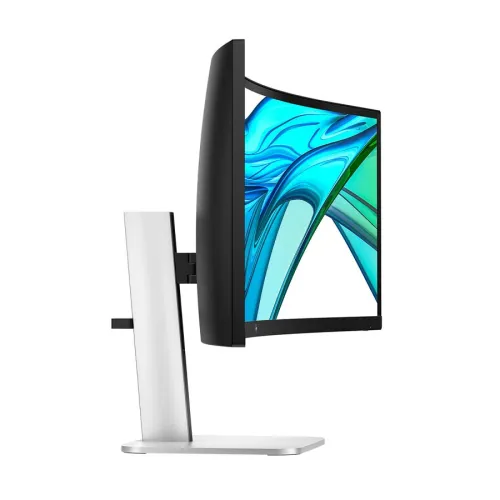
Built with a VA panel and curved display surface, the HP Series 5 Pro 549pm is engineered to wrap your field of view for a more engaging experience. The curvature is paired with wide 178° horizontal and vertical viewing angles, helping maintain consistent visibility when multiple people are seated around the desk. Compared to flatter panels, a curved layout can feel more natural for extended viewing, especially when you keep multiple windows open for long periods.
With 400 nits brightness and a 4000:1 contrast ratio, this display is tuned for clear text, strong differentiation, and readable content in typical office lighting. It covers 99% sRGB color space and supports 8-bit color depth, making it suitable for everyday professional tasks such as document editing, web work, and general design review. Eye care is also included, featuring HP Eye Ease with a TUV Low Blue Light Hardware Solution certification, which is designed to help reduce harmful blue light exposure during extended use.
A standout productivity feature is Smart KVM support, which prioritizes control by detecting and switching between two computers viewed side-by-side using picture-by-picture or picture-in-picture. This is especially helpful for professionals who alternate between a desktop and a laptop without constantly reconnecting cables. It streamlines workflow, reduces desk clutter, and supports efficient multitasking—whether you’re managing meetings, working on spreadsheets, or handling multiple business systems at once.
The HP Series 5 Pro 549pm includes 1 HDMI port and 1 DisplayPort (DP) for flexible video connections. For peripherals and streamlined setup, it provides 3 x USB Type-A and 3 x USB Type-C ports, supporting convenient device attachment for keyboards, storage, and other accessories. There is also a headphone jack for private audio monitoring. This connectivity mix makes it easier to build a clean workstation setup, particularly when paired with USB-C capable devices.
For built-in audio, the monitor includes speakers with a total configuration of 2 x 3W (woofer) and 2 x 5W (tweeter), delivering sound directly from the display—useful for video calls, training sessions, and everyday media playback without needing external speakers. Additionally, the monitor supports dual microphones with DNN noise cancellation, which helps improve voice clarity during calls in busy environments. This makes the HP Series 5 Pro 549pm a practical choice for office communication and remote collaboration.
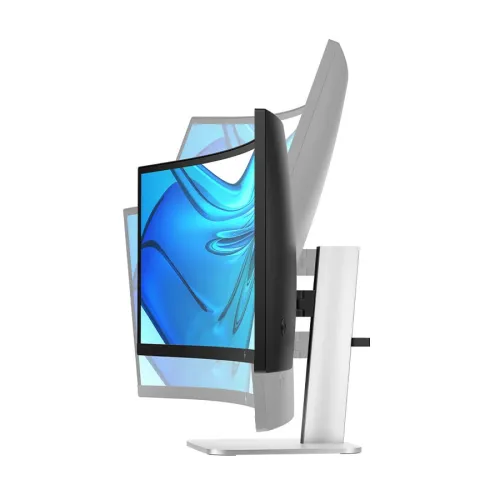
Designed for ergonomic comfort, the stand supports height adjustment of 150 mm, tilt adjustment from -5 to +20 degrees, and swivel adjustment of +/-30 degrees. It is not rotatable, but the included flexibility helps you position the screen for better posture and reduced neck strain. The monitor also supports VESA wall mount standard 100 x 100 mm, giving you the option to mount it on a compatible arm or wall setup for space-saving installations.
The HP Series 5 Pro 549pm comes with a 3-year warranty, with the warranty process requiring the box while claiming. The price starts from 173,000 in Bangladesh and may vary based on customization and product availability. If you’re purchasing for office, corporate, or institutional use, it’s recommended to confirm configuration needs and connectivity requirements to ensure the monitor fits your existing workstation setup.
Get specific details about this product from customers who own it.
