
0 item(s)
YOUR CART
| Basic Information | ||
| Connection Type | Wireless | |
| Interface | Bluetooth & USB Dongle | |
| Maximum DPI | 1600 | |
| Scrolling Capability | Wheel | |
| Number of Buttons | 7 | |
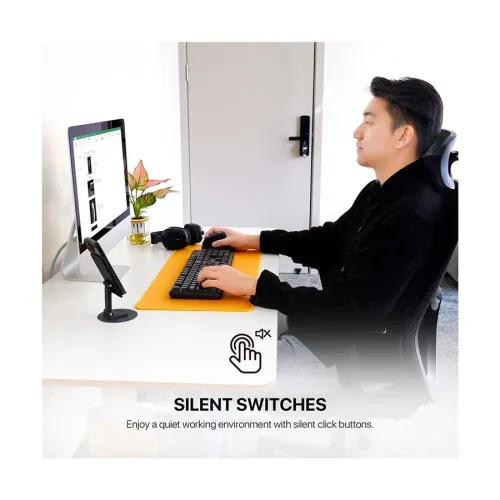
| Other Features | Click Sound: Yes; Lighting: No | |
| Technical Specification | ||
| Switch Lifecycle | 5 Million Clicks | |
| Tracking Method | Optical | |
| Sensor | Pixart 3065 | |
| Click Sound | Yes | |
| Lighting | No | |
| Compatibility | Windows and macOS | |
| Physical Specification | ||
| Color | Black | |
| Dimensions | 108.4 x 71.2 x 69mm | |
| Weight | 114 gm | |
| Warranty Information | ||
| Warranty | 1 year | |
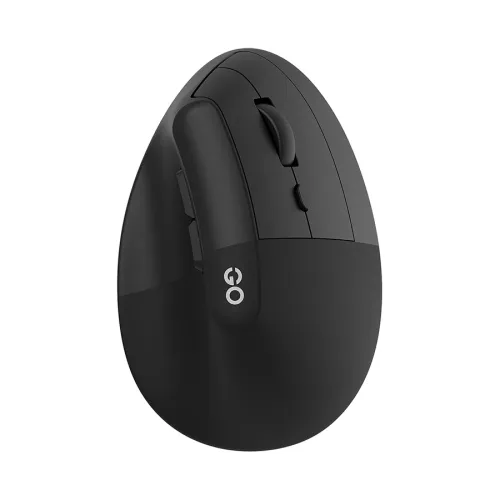
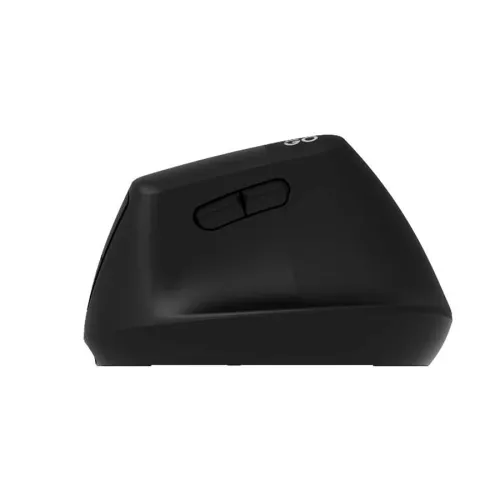
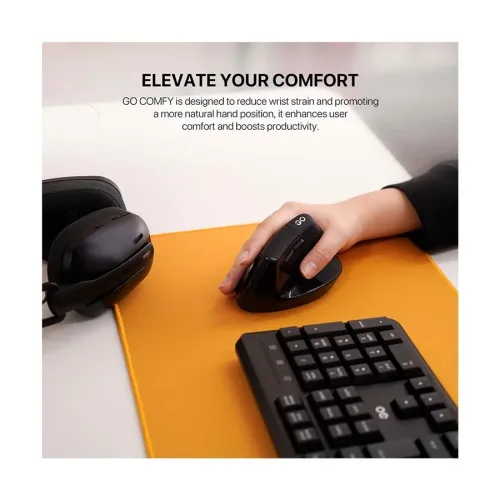
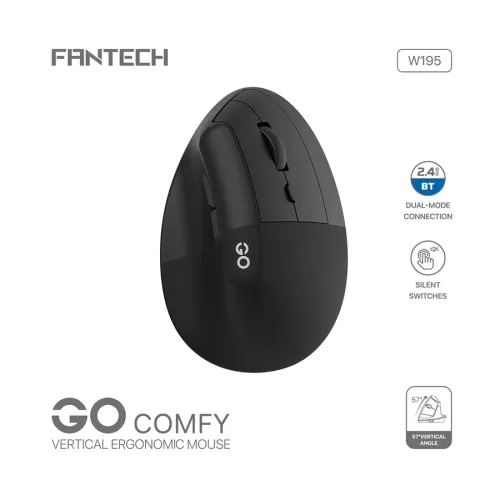
The Fantech Go Comfy W195 Wireless (Dual Mode) Black Vertical Ergonomic Mouse is built for users who spend long hours on a computer and want a more natural grip. Unlike traditional flat mice that can encourage wrist bending, this vertical ergonomic mouse promotes a healthier hand posture, helping reduce wrist strain during daily work, study, and extended browsing sessions. Its sleek black design fits neatly into any desk setup, from home offices to corporate workstations.
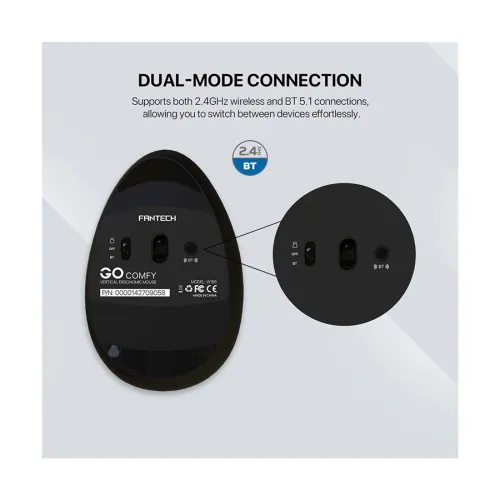
With dual-mode connectivity, the W195 lets you switch between 2.4GHz wireless and Bluetooth. This makes it convenient when you need to pair the mouse with different devices—such as a laptop for work and a tablet/PC for entertainment—without using separate peripherals. The wireless connection type also helps keep your workspace tidy by reducing cable clutter, which is especially useful in shared desks and clean workstation environments.
The mouse offers a resolution of 1600, delivering smooth and accurate cursor movement for everyday productivity tasks. Whether you’re navigating spreadsheets, editing documents, or managing presentations, consistent tracking helps you maintain control and reduce the effort needed for precise pointing. For casual gaming and light creative work, the 1600 DPI setting supports responsive movement without feeling overly sensitive for typical desk use.
The vertical ergonomic shape is the core strength of the Go Comfy W195. By encouraging a more natural hand position, it can help minimize discomfort that often builds up with conventional mice—particularly for users who experience fatigue during prolonged typing and mouse work. If you’re choosing a mouse for office productivity, remote work, or study routines, this ergonomic design is a practical upgrade for comfort-focused computing.
The W195 includes a click sound, which some users prefer for tactile feedback during frequent clicking tasks like selecting files, clicking through web pages, or working through forms. It also features no lighting, making it a distraction-free option for quiet environments such as libraries, classrooms, and open-plan offices where RGB effects may be unwanted.
This mouse is compatible with both Windows and macOS devices. You can connect it using the included wireless approach—either through Bluetooth or via the USB dongle—so it’s suitable for common laptop and desktop setups. If you frequently switch between operating systems or use multiple computers, dual-mode support helps streamline your workflow.
To maintain the Fantech Go Comfy W195 in optimal condition, regularly clean the surface with a soft, dry cloth to remove dust and debris. Avoid exposing the mouse to water or extreme temperatures, and store it safely when not in use to prevent accidental damage. For consistent performance, ensure the batteries are charged or replaced as needed.
Choose the Fantech Go Comfy W195 Wireless (Dual Mode) Black Vertical Ergonomic Mouse for a comfort-first upgrade with dual-mode wireless convenience, reliable 1600 resolution tracking, and a distraction-free design with no lighting—ideal for office work, daily computing, and long-session productivity in Bangladesh.
Get specific details about this product from customers who own it.
