
0 item(s)
YOUR CART
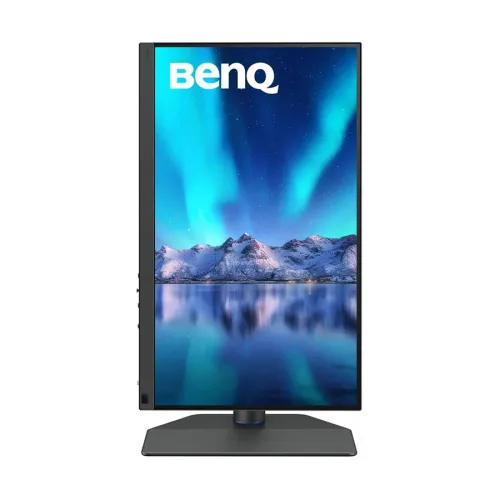
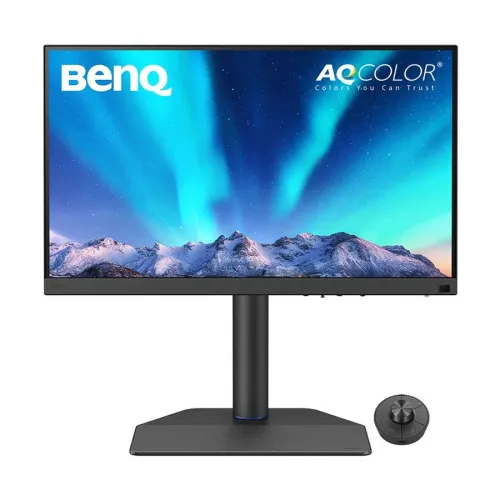
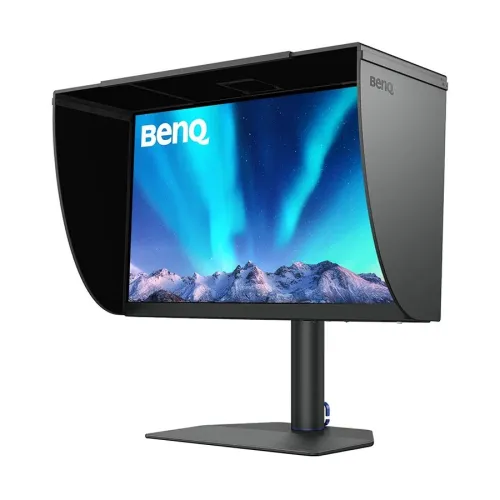
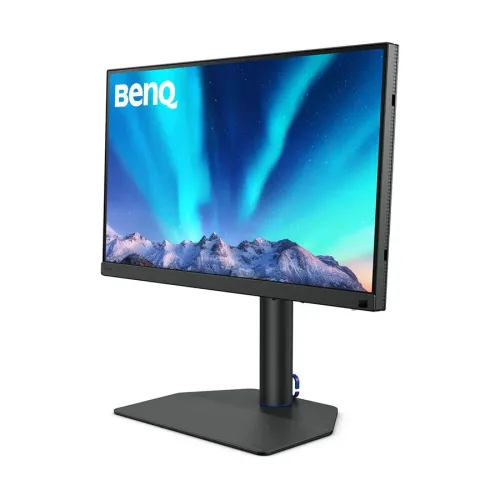
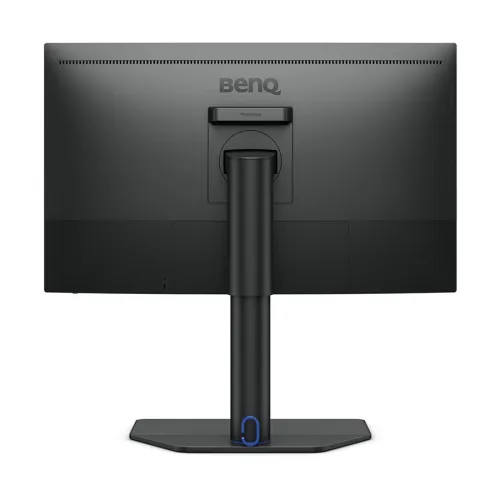
| Display | ||
| Panel | IPS | |
| Screen Size | 27 inch | |
| Display Type | IPS | |
| Resolution | 2560x1440 | |
| Aspect Ratio | 16:9 | |
| Viewing Angle | 178 Degree | |
| Brightness | 300cd/m2 | |
| Contrast Ratio | 1000:1 | |
| Refresh Rate | 60Hz | |
| Color Support | 1.07 Billion | |
| Color Gamut | 100% sRGB, 98% P3, 99% Adobe RGB | |
| Response Time | 5ms (Gray to Gray) | |
| Audio/Video Features | ||
| Low Blue Light | Yes | |
| Flicker Free | Yes | |
| Connectivity | ||
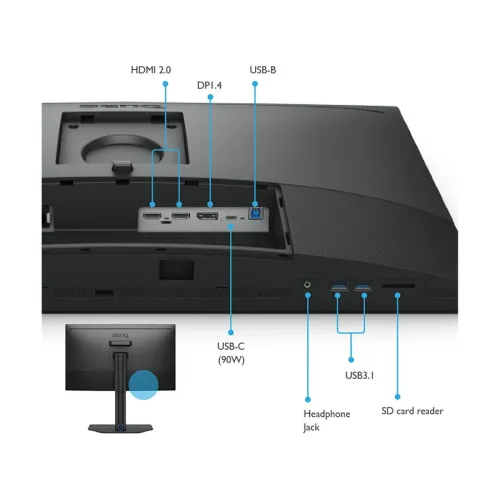
| HDMI | 2 | |
| Display Port | 1 | |
| USB Ports | 1 x USB Type-C, 2 x USB 3.1 Gen 1 Type-A, 1 x USB Type B | |
| Audio Jack | Yes | |
| Physical Specification | ||
| Vesa Mount | 100 x 100mm | |
| Tilt / Swivel / Pivot | -5 Degree to 20 Degree 30 Degree to 30 Degree | |
| Color | Black | |
| Power | ||
| Power Consumption | 160W (Max.), 25W (Normal), 0.3W (Sleep Mode) | |
| Warranty Information | ||
| Warranty | 3 Year (Box Mandatory While Claiming) | |
The BenQ SW272Q is a 27-inch 2K QHD (2560×1440) IPS professional monitor designed for users who need dependable image quality for color-sensitive tasks. With a 60Hz refresh rate and dual HDMI connectivity, it’s well-suited for office productivity, content creation workflows, and professional review/editing sessions where clarity and consistent visuals matter. Compared to basic TN panels, the IPS panel helps deliver more stable viewing performance and a more reliable look across typical work angles.
At 2560×1440 resolution, SW272Q provides extra screen real estate versus Full HD, making it easier to multitask with timelines, reference images, and editing tools side-by-side. This resolution is especially helpful for designers and video editors who frequently zoom into fine details, as the sharper workspace reduces the need for constant scaling. For web design, photo retouching, and video post-production, the 2K QHD format offers a practical balance of detail and performance for daily use.
The monitor uses an IPS panel type, supporting professional-grade color management features highlighted in the product description. BenQ’s Uniformity Technology is included to help maintain consistent color accuracy and brightness across the panel, which is important when you’re evaluating gradients, skin tones, or subtle color transitions. For users who compare outputs across sessions, this consistency helps reduce the “panel-to-panel” variation that can affect final deliverables.
SW272Q supports Pantone Connect Premium with a one-year free subscription for existing owners or new purchasers of BenQ professional monitors, enabling digitally mobile color consistency and accuracy. It also includes Palette Master Ultimate software to tune and maintain monitor color performance in three steps—useful for maintaining a stable workflow over time. Additional color workflow features mentioned include Paper Color Sync for simulated previews aligned with printer and paper color settings, and GamutDuo for side-by-side comparison of the same image in two color gamuts, helping you make more confident editing decisions.
BenQ SW272Q is described as offering wide color space coverage for multiple common workflows. It supports sRGB for web content design, DCI-P3 for editing 4K videos, and Adobe RGB for photo retouching. This makes the monitor a strong choice when your work spans different color standards and you want the display to better match the intended look. For video projects, the description also references P3 color space support to help deliver accurate colors during video editing and review.
The SW272Q includes a fine-coating panel with TUV Rheinland Reflection-Free certifications. This is designed to reduce glare and reflection, creating a more comfortable viewing experience under different ambient lighting conditions. If you work in bright rooms or near windows, this can help reduce visual distractions compared to displays that reflect more strongly, supporting longer editing or office sessions.
With 2 HDMI ports and DisplayPort connectivity, the BenQ SW272Q is convenient for multi-device setups such as connecting a laptop for office work and a desktop for creative editing. Dual HDMI support also helps when you want to switch between sources without constantly unplugging cables. The monitor is also described as supporting video format compatibilities including 4:4:4, 4:2:2, and 4:2:0 sampling, which is beneficial for maintaining fidelity when working with different video formats.
The product description notes select SDI to HDMI device compatibility tested by BenQ, enabling stable and non-compressed signal transmission for videographers. It also states that SW272Q is HDR10 compatible thanks to this SDI to HDMI device compatibility, making it suitable for previewing HDR effects during editing. This is particularly useful for creators who need to evaluate HDR look and tone before final export.
Choose the BenQ SW272Q if you want a 27-inch 2K QHD IPS monitor focused on professional color management, consistent panel performance, and practical connectivity for creative and office environments. It’s a good fit for photographers, designers, and video editors who benefit from wide color space coverage and tools like Paper Color Sync and GamutDuo. For everyday office users, the higher resolution and comfortable viewing features make it easier to read, review documents, and manage multiple tasks with less eye strain than lower-resolution displays.
In Bangladesh, the BenQ SW272Q monitor price starts from 114,000 (price may vary based on customization and product availability). If you’re purchasing for office, corporate, or institutional use, consider planning your connectivity needs (laptop/desktop sources) and your workflow requirements (color accuracy and preview tools) to ensure the monitor fits your setup. For reliable after-sales support, the product description mentions dependable troubleshooting, technical assistance, and configuration services through PQS Care.
Get specific details about this product from customers who own it.
