
0 item(s)
YOUR CART
| Display | ||
| Panel | IPS | |
| Screen Size | 27 inch | |
| Display Type | IPS | |
| Resolution | 2560x1440 | |
| Aspect Ratio | 16:9 | |
| Viewing Angle | (CR≧10, H/V) : 178°/ 178° | |
| Brightness | 400cd/㎡ | |
| Contrast Ratio | 1000:1 | |
| Refresh Rate | 360Hz | |
| Color Support | 16.7M | |
| Color Gamut | Color Space (DCI-P3) : 97% Color Space (sRGB) : 133% | |
| Response Time | 1ms GtG | |
| Audio/Video Features | ||
| Low Blue Light | Yes | |
| Flicker Free | Yes | |
| Connectivity | ||
| HDMI | HDMI (v2.0)x 1 | |
| Display Port | DisplayPort 1.4 x 1 (HBR3) | |
| Audio Jack | Yes | |
| Physical Specification | ||
| Vesa Mount | 100x100mm | |
| Tilt / Swivel / Pivot | Rotatable | |
| Height Adjustability | 0~110mm | |
| Color | Black | |
| Dimension | Phys. Dimension with stand (W x H x D) : 61.4 x 50.3 x 18.8 cm (24.17" x 19.80" x 7.40") Phys. Dimension without Stand (W x H x D) : 61.4 x 36.7 x 8.6 cm (24.17" x 14.45" x 3.39") Box Dimension (W x H x D) : 71.0 x 21.5 x 46.0 cm (27.95" x 8.46" x 18.11") | |
| Weight | Net Weight with Stand : 6.5 kg (14.33 lbs) Net Weight without Stand : 4.3 kg (9.48 lbs) Gross Weight : 9.2 kg (20.28 lbs) | |
| Power | ||
| Power Consumption | Power Consumption : <38W Power Saving Mode : <0.5W Power Off Mode : <0.3W | |
| Voltage | 100-240V, 50/60Hz | |
| Warranty Information | ||
| Warranty | 03 years | |
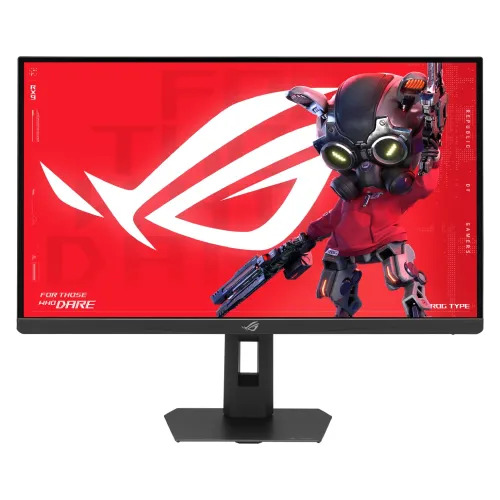
The Asus ROG Strix Pulsar XG27AQNGV is a 27-inch gaming monitor built for players who want smooth motion, sharp detail, and responsive performance. With a 2560x1440 (2K WQHD) resolution on an IPS panel, it delivers a balanced mix of clarity and color consistency—making it a strong choice for competitive gaming as well as everyday content creation and entertainment. The 360Hz refresh rate is designed to reduce motion blur and improve on-screen fluidity, helping you track fast-moving targets more comfortably than standard 60Hz or even 144Hz displays.
At 2560x1440, this monitor offers more workspace and finer image detail than Full HD, which can be especially helpful for strategy games, FPS titles, and multitasking. The IPS panel type is selected for its generally reliable color reproduction compared to TN panels, so gradients and in-game lighting tend to look more natural. If you switch between gaming and media viewing, the IPS technology helps maintain a consistent look across different scenes, making it easier to enjoy movies, graphics, and web content without the image shifting that can happen on some other panel types.
A 360Hz refresh rate is ideal for competitive gamers who prioritize responsiveness and smoothness. Compared to 60Hz monitors, the difference is immediately noticeable during fast camera movements—animations feel more continuous and transitions look cleaner. For high-refresh gaming, pairing this display with a capable gaming PC or console setup can help you take advantage of the ultrafast experience. This monitor is also a good fit for esports-style play where quick reactions and precise tracking matter.
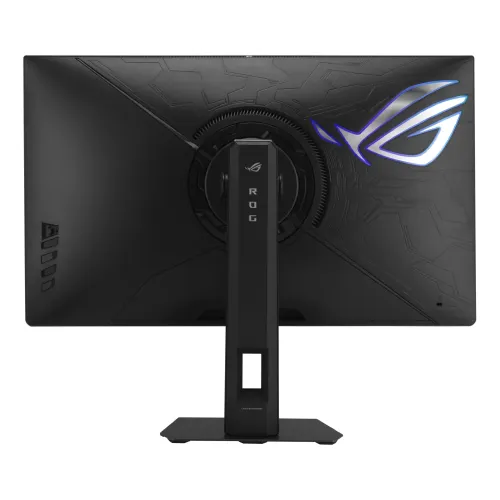
Connectivity is designed to be practical for modern setups. The monitor includes 2 HDMI ports, along with DisplayPort and USB support, making it easier to connect multiple devices such as a gaming PC, a console, or a secondary computer without constantly unplugging cables. Dual HDMI is particularly useful if you want to switch between devices quickly—for example, gaming on one source and then moving to another for casual play or streaming. USB support also helps streamline desk setups by reducing the need for extra adapters.
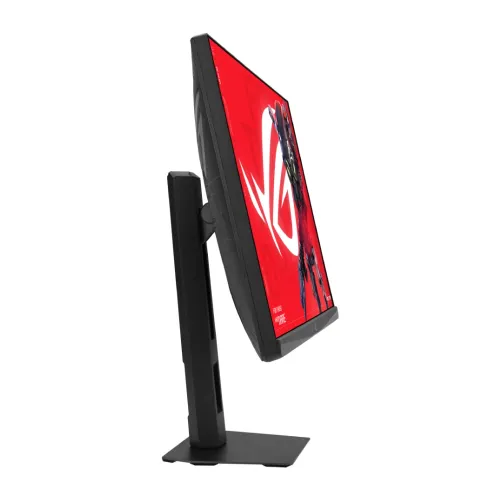
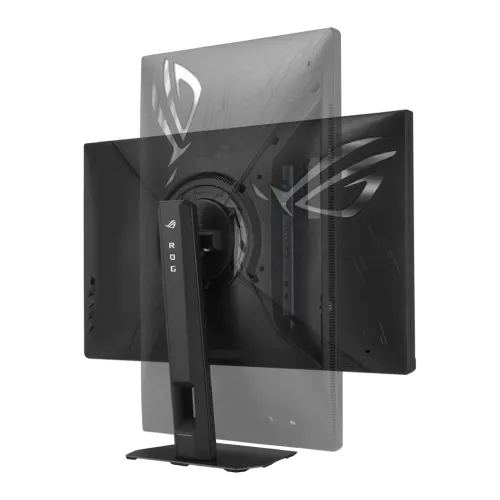
The monitor supports rotation (rotatable), which can be convenient for different gaming positions and for productivity tasks like reading documents or browsing long web pages. A rotatable stand can also help you align the screen orientation with your desk layout, improving comfort during long sessions. If you alternate between gaming and work, this flexibility can make the monitor easier to integrate into your daily routine.
In Bangladesh, the Asus ROG Strix Pulsar XG27AQNGV gaming monitor price starts from 104,000. Pricing may vary depending on customization options and product availability. If you’re purchasing for office, corporate, or institutional use, you can also consider support for configuration and troubleshooting through PQS Computers’ PQS Care team, helping you set up the monitor correctly for your environment.
Get specific details about this product from customers who own it.
