
0 item(s)
YOUR CART
| Basic Information | ||
| Processor | AMD Ryzen AI 5 330 (4 cores, 8 threads, up to 4.5GHz, 50 TOPs NPU) | |
| RAM | 16GB DDR5 5600MHz | |
| Storage | 512GB PCIe 4.0 SSD | |
| Graphics | AMD Radeon 820M | |
| Monitor | 23.8-inch Full HD (1920 x 1080) Anti-glare, 250 nits, 100% sRGB | |
| Operating System | Windows 11 | |
| Others | WiFi 7, Bluetooth 5.4 | |
| Connectivity | ||
| LAN | Gigabit Ethernet | |
| WiFi | WiFi 7 | |
| Bluetooth | Bluetooth 5.4 | |
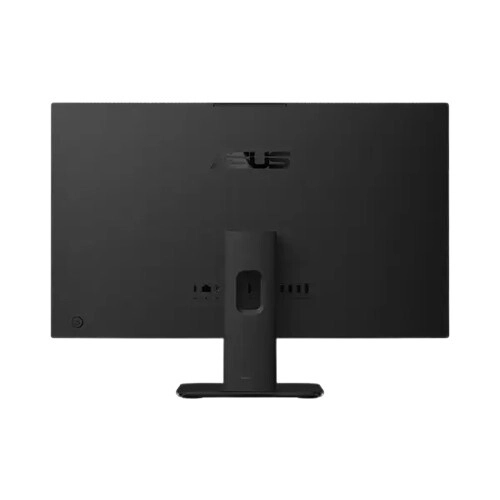
| External I/O Ports | Multiple USB ports, HDMI input & output | |
| Input Device | ||
| Keyboard | Wired black keyboard (USB) | |
| Mouse | Wired optical mouse (USB) | |
| Warranty | ||
| Warranty | 3-Year | |
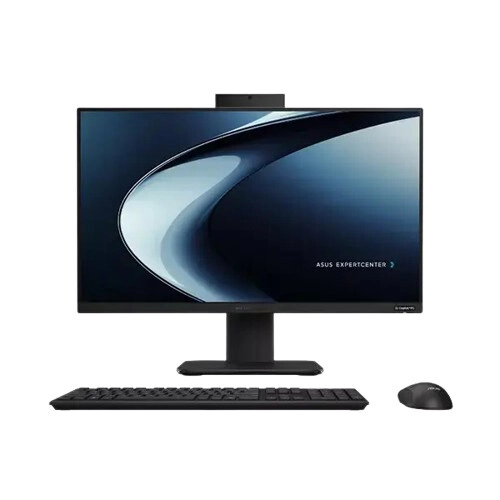
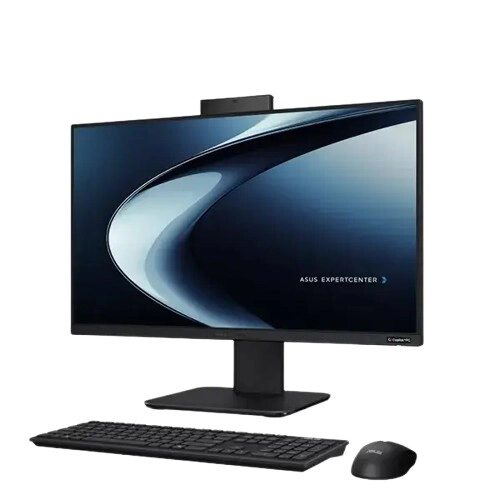
The ASUS ExpertCenter AiO PM640KA-BPC1150 is a space-saving all-in-one desktop designed to support productive work, study, communication, and daily computing with a modern AMD Ryzen AI platform. With an integrated 23.8-inch Full HD display, you get a clean desk setup and a comfortable viewing experience for long sessions—ideal for home offices, classrooms, and reception or shared workspaces where cable clutter and limited space are common concerns.
At the core of this system is the AMD Ryzen AI 5 330 processor featuring 4 cores and 8 threads, with a boost up to 4.5GHz for responsive multitasking. It also includes a 50 TOPS NPU, making it well-suited for AI-assisted workflows and smart productivity tasks. Compared to entry-level processors, this configuration is built to handle multiple applications at once—such as office suites, web-based communication, and research tabs—while maintaining smooth day-to-day performance.
The PM640KA-BPC1150 comes with 16GB DDR5 5600MHz memory, providing the headroom needed for efficient multitasking. This amount of RAM is a practical choice for typical office and student workloads, including document editing, spreadsheets, video calls, and browser-based learning. It also helps reduce slowdowns when switching between apps, making the system feel more responsive during busy work sessions.
For quick booting and fast application loading, the PC includes a 512GB PCIe 4.0 SSD (M.2 NVMe). This storage setup supports snappy performance for frequently used software and helps keep your workflow efficient—especially when you regularly open large files, manage media, or run multiple productivity tools. With 512GB capacity, you can store a solid library of documents, presentations, and multimedia without constantly relying on external drives.
Graphics are handled by the integrated AMD Radeon 820M, which is designed for office tasks, multimedia playback, and light creative workloads. For everyday users, this means you can comfortably handle video conferencing, streaming, and general graphics needs without requiring a separate dedicated GPU. If your work involves heavier 3D rendering or advanced design software, you may consider a higher-tier workstation—but for standard productivity and learning use, the integrated solution is efficient and convenient.
The 23.8-inch Full HD display delivers a 1920 x 1080 resolution with anti-glare viewing, 250 nits brightness, and 100% sRGB coverage. The anti-glare feature helps reduce reflections during daytime use, while the sRGB coverage supports more accurate color for everyday content creation such as presentations, basic photo editing, and design previews. Compared to lower-quality panels, this combination is better for consistent visuals during long study or work periods.
For connectivity, the system supports WiFi 7 and Bluetooth 5.4, helping you stay connected with faster wireless performance and reliable device pairing. It also includes multiple USB ports, HDMI input and output, and Gigabit Ethernet for flexible setup options—useful when you want a stable wired connection for work or need to connect external displays and peripherals. This makes the ASUS ExpertCenter AiO a convenient choice for offices and home setups where different devices may be used throughout the day.
The ASUS ExpertCenter AiO PM640KA-BPC1150 supports Windows 11, giving you a modern operating environment for productivity, communication, and learning. With Windows 11, you can take advantage of a streamlined interface and compatibility with common business and educational applications, making it a strong fit for users who want a ready-to-use system for daily tasks.
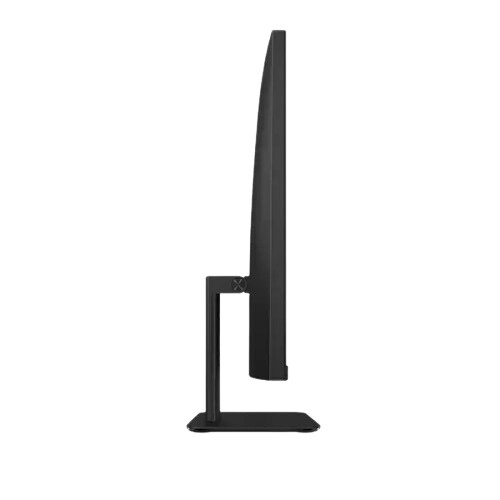
When choosing an all-in-one PC, it’s especially important to consider desk space, display comfort, and everyday connectivity needs. This model’s integrated design reduces cable clutter and simplifies installation compared to traditional desktops with separate towers. It’s a practical fit for reception desks, classrooms, corporate workstations, and home offices—particularly for users who want a tidy setup without sacrificing core performance for work and study.
Get specific details about this product from customers who own it.
