
0 item(s)
YOUR CART
| Memory Specifications | ||
| Memory Size | 16GB | |
| Memory Type | GDDR6 | |
| Boost Clock | Up to 3250 MHz (OC mode) | |
| Memory Clock | 20 Gbps | |
| Bus Type | 128-bit | |
| Stream Processors | 2048 stream processors | |
| Resolution | 7680 x 4320 | |
| Others | OC mode via GPU Tweak III; supports PCI Express 5.0 and OpenGL 4.6 | |
| Output | ||
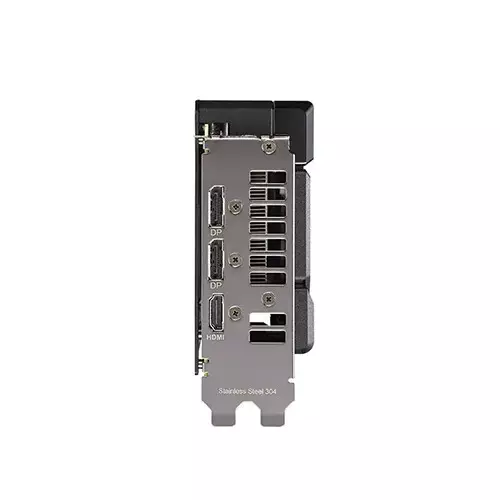
| Display Port | 2× DisplayPort 2.1a | |
| HDMI | 1× HDMI 2.1b | |
| HDCP Support | HDCP 2.3 | |
| Maximum Display Support | Up to three displays | |
| Power Specifications | ||
| Recommended PSU | 550W PSU | |
| Power Connector | Single 8-pin connector | |
| Application Programming Interfaces | ||
| OpenGL | OpenGL 4.6 | |
| Physical Specifications | ||
| Dimensions | 202 × 120 × 49mm | |
| Slot Size | 2.5-slot | |
| Warranty | ||
| Warranty | 3 years | |
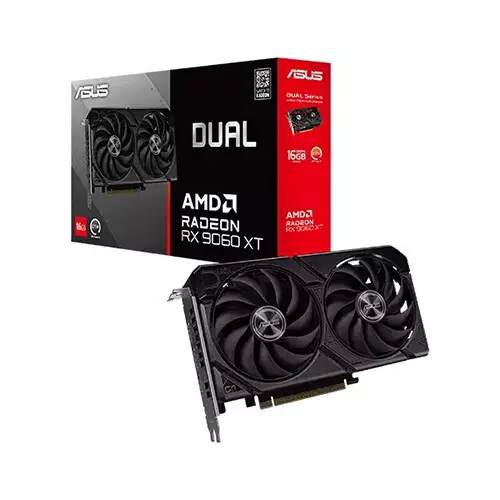
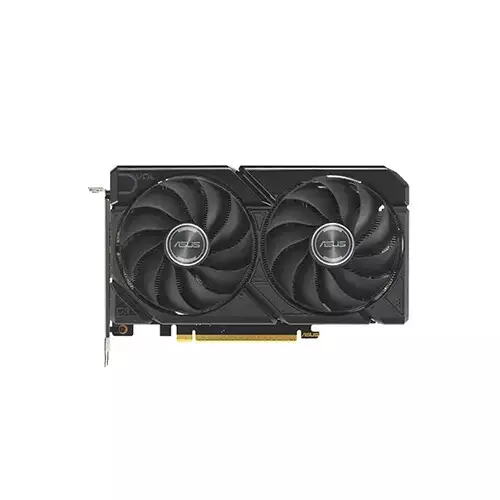
The ASUS Dual Radeon RX 9060 XT 16GB GDDR6 graphics card is built for users in Bangladesh who want dependable high-performance visuals with efficient operation. Designed around the AMD Radeon RX 9060 XT graphics engine, it delivers smooth gameplay for modern titles and stable performance for demanding professional workflows. With 16GB of fast GDDR6 memory, this GPU helps reduce bottlenecks when handling high-resolution textures, complex scenes, and multitasking workloads—making it a strong choice for gamers, creators, and power users upgrading from older graphics cards.
For performance, the card supports an OC mode (GPU Tweak III) boost clock up to 3250 MHz, while the default mode provides a slightly lower boost clock. This boost capability is especially useful when you’re gaming at higher settings or running GPU-accelerated tasks where clocks can dynamically rise based on workload. Whether you’re playing competitive esports titles or rendering content, the RX 9060 XT is designed to keep performance responsive and consistent.
Equipped with 16GB GDDR6 memory running at 20 Gbps on a 128-bit interface, the ASUS Dual RX 9060 XT focuses on fast data throughput. This combination supports smoother frame delivery and helps maintain stability when you’re working with large assets such as 4K/8K textures, high-poly models, and complex effects. Compared to GPUs with smaller memory capacities, the 16GB pool is better suited for longer sessions and heavier projects where VRAM usage can climb quickly.
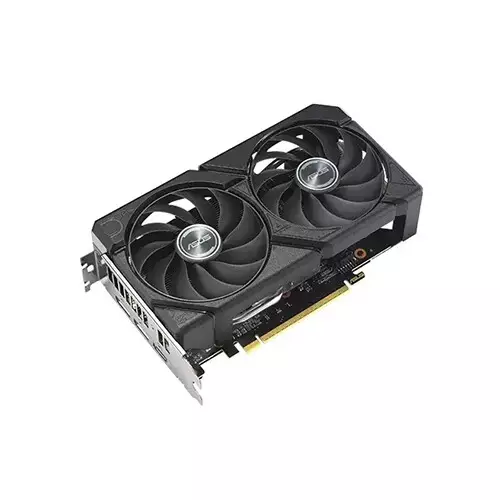
The maximum digital resolution supported is 7680 × 4320, enabling an 8K-ready experience for compatible displays. For connectivity, the card includes 1× HDMI 2.1b and 2× DisplayPort 2.1a ports, along with HDCP 2.3 support. It can drive up to three displays simultaneously, which is ideal for productivity setups like multi-monitor workstations, streaming/recording workflows, or gaming with an expanded view. If you use a high-resolution monitor alongside a secondary display for chat, dashboards, or editing timelines, this multi-output configuration can simplify your desk setup.
This graphics card supports PCI Express 5.0 and OpenGL 4.6, helping it stay compatible with newer systems and modern rendering pipelines. It also supports OpenGL 4.6 for graphics applications that rely on OpenGL features. Included with the card is ASUS GPU Tweak III software, which allows users to fine-tune performance, cooling, and stability—useful for enthusiasts who want more control, as well as everyday users who prefer a reliable, optimized setup without complicated manual steps.
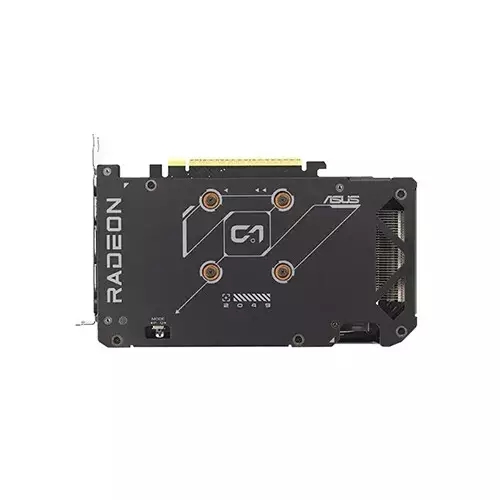
The ASUS Dual Radeon RX 9060 XT uses a 2.5-slot design and measures 202 × 120 × 49 mm, so it’s important to check your PC case clearance before purchase. For power, the recommended PSU is 550W, and it requires a single 8-pin power connector. If you’re upgrading, ensure your power supply has the required 8-pin connector available and that your case airflow can handle sustained gaming or rendering sessions.
With 16GB GDDR6 memory, boost performance up to 3250 MHz in OC mode, and 8K-capable output, the ASUS Dual Radeon RX 9060 XT is a well-rounded GPU for users who want a balance of high-resolution visuals and practical multi-display support. It’s especially suitable for gamers who play at higher resolutions and for creators who need reliable GPU acceleration for content production. For best results, pair it with a compatible PCIe 5.0 motherboard, a quality 550W PSU, and a monitor that matches your target resolution for the most noticeable upgrade.
Get specific details about this product from customers who own it.
